How To Auto Update WordPress Theme With Envato Market Plugin
HomeHow To Auto Update WordPress Theme With Envato Market Plugin
What is Envato Market Plugin
The Envato Market plugin is the one can help you to install WordPress themes and plugins purchased from ThemeForest & CodeCanyon by connecting with the Envato Market API using a secure OAuth personal token
Envato Market Plugin, it lets you keep updated with the theme purchases right in your WordPress Dashboard.
How to Auto Update WordPress Theme from Themeforest
Envato is arguably the most famous marketplace for WordPress themes. In addition, when buying a theme here, users can get updated versions of that theme for life without any other fees.
Keeping themes and plugins up to date is essential. And now, we will show you the steps on how to automatically update WordPress themes and plugins from Envato.
How to Install Envato Market Plugin
To install Envato Market Plugin, please follow the steps as below:
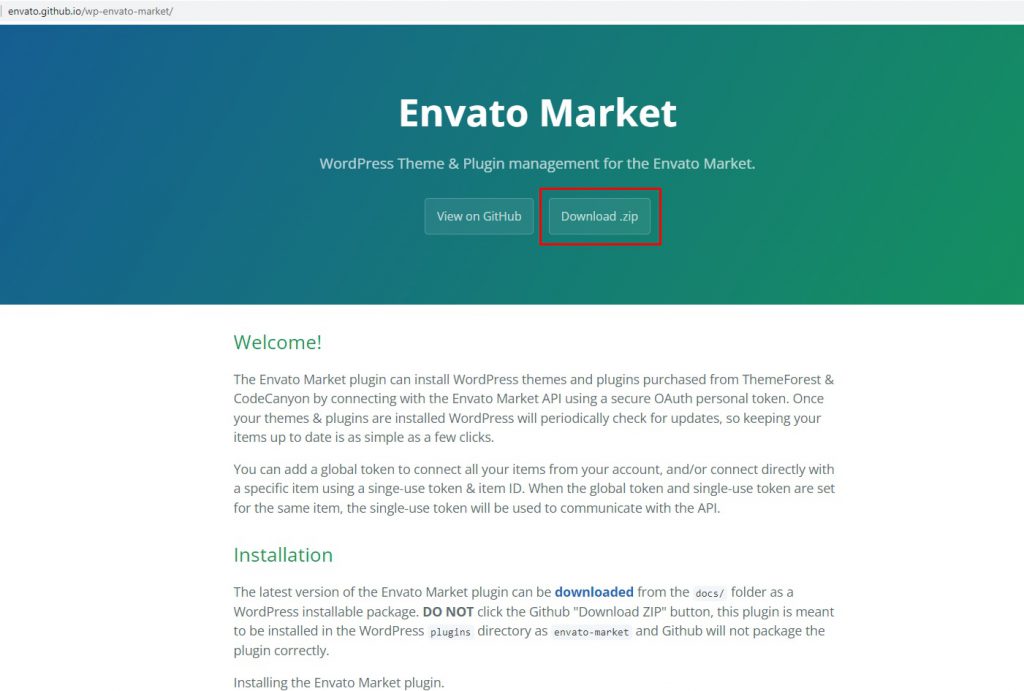
1. First, you need to download the plugin. Please direct to Envato GitHub and click on Download.Zip button to get it.
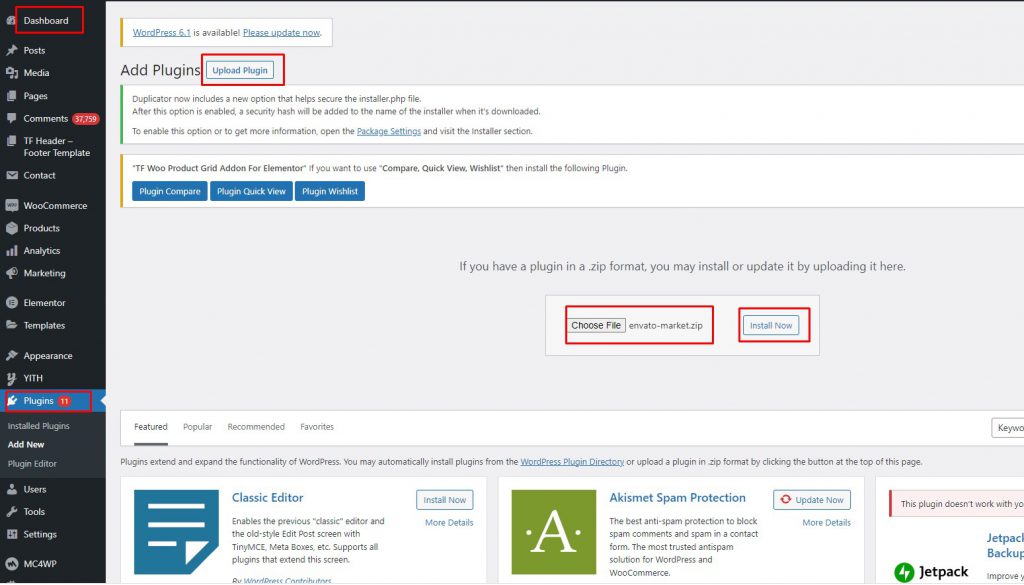
2. Now, in your Dashboard, go to Plugins > Add New and click on Upload Plugin then navigate to envato-market.zip, choose Install Now to install it.
3. After that, click Activate Plugin link to activate the plugin in your site.
How to Set Up Envato Market Plugin
To be able to update, you need to sync the plugin with your Envato account. You can follow the steps as following:
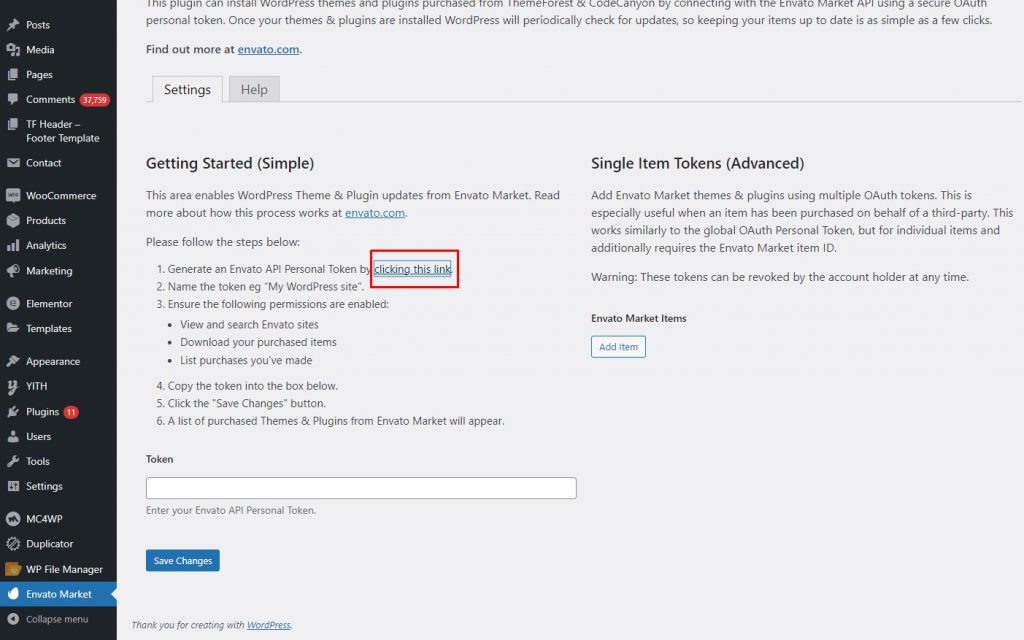
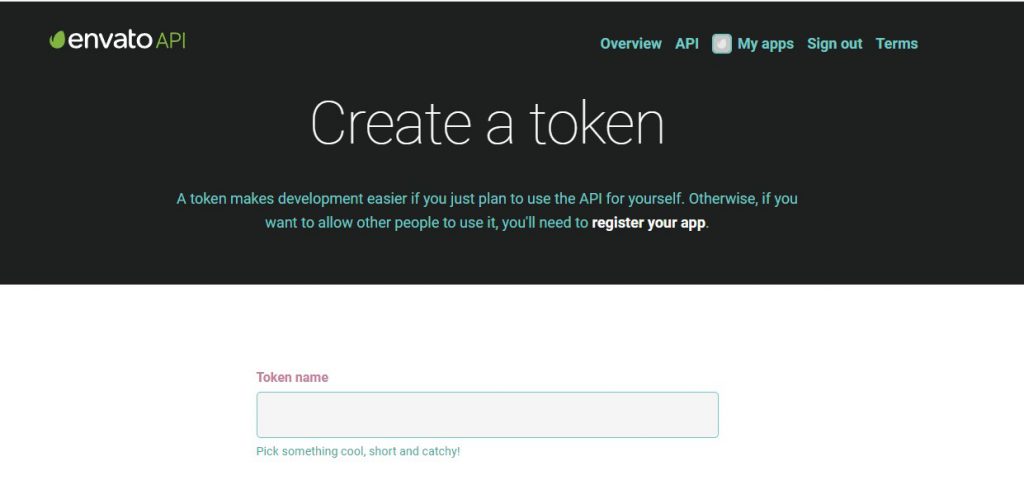
1. You will need to configure the plugin by adding an Envato API Personal Token. Click the suggested link in the instructions to generate a personal toke
2. Fill the information
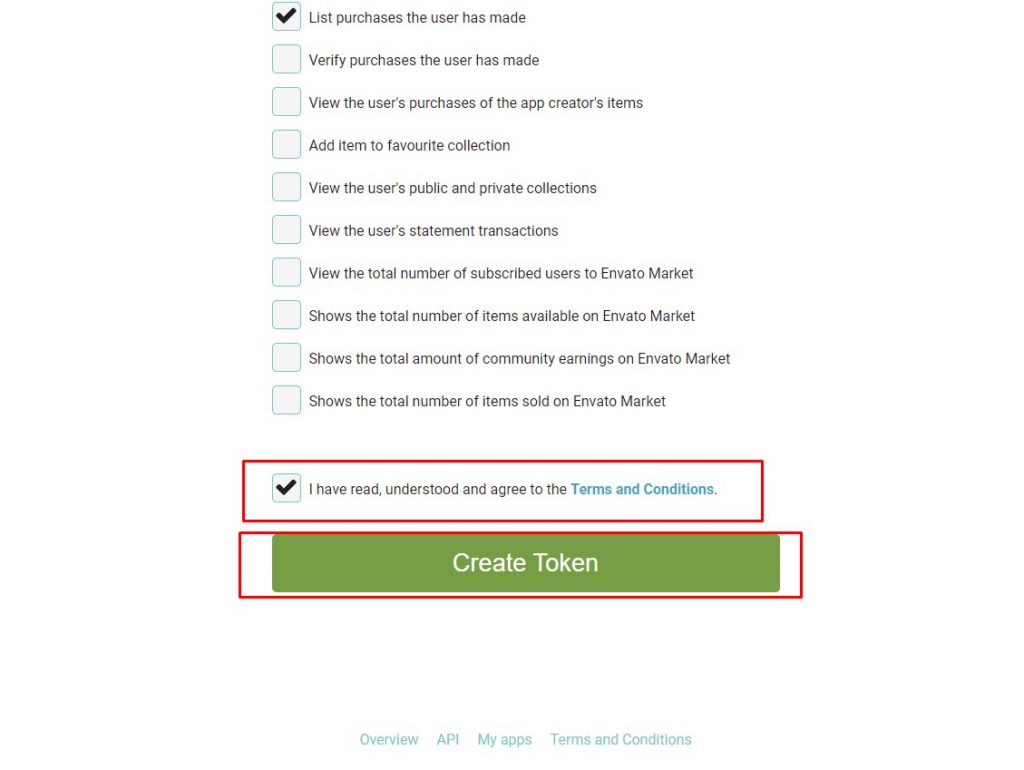
3. Scroll down on the page with all the required permissions selected and click on Create Token at the end of the page.
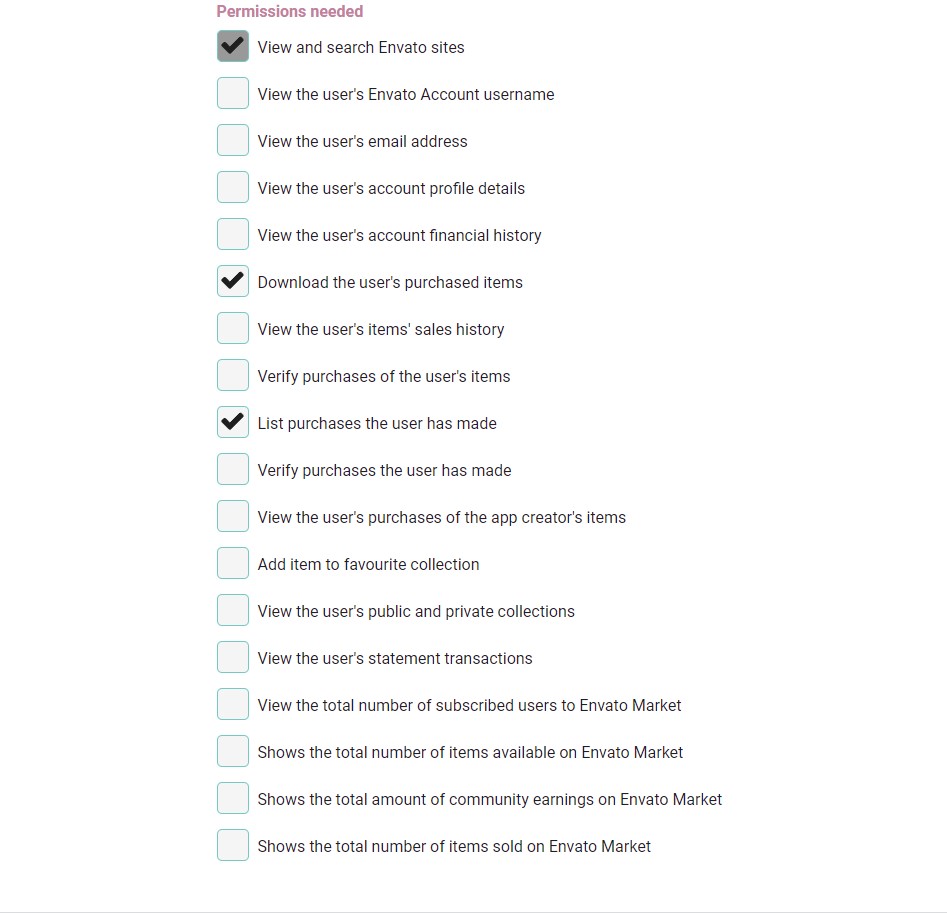
4. Make sure you only enable the required permissions including:
View and search Envato sites
Download your purchased items
List purchases you’ve made
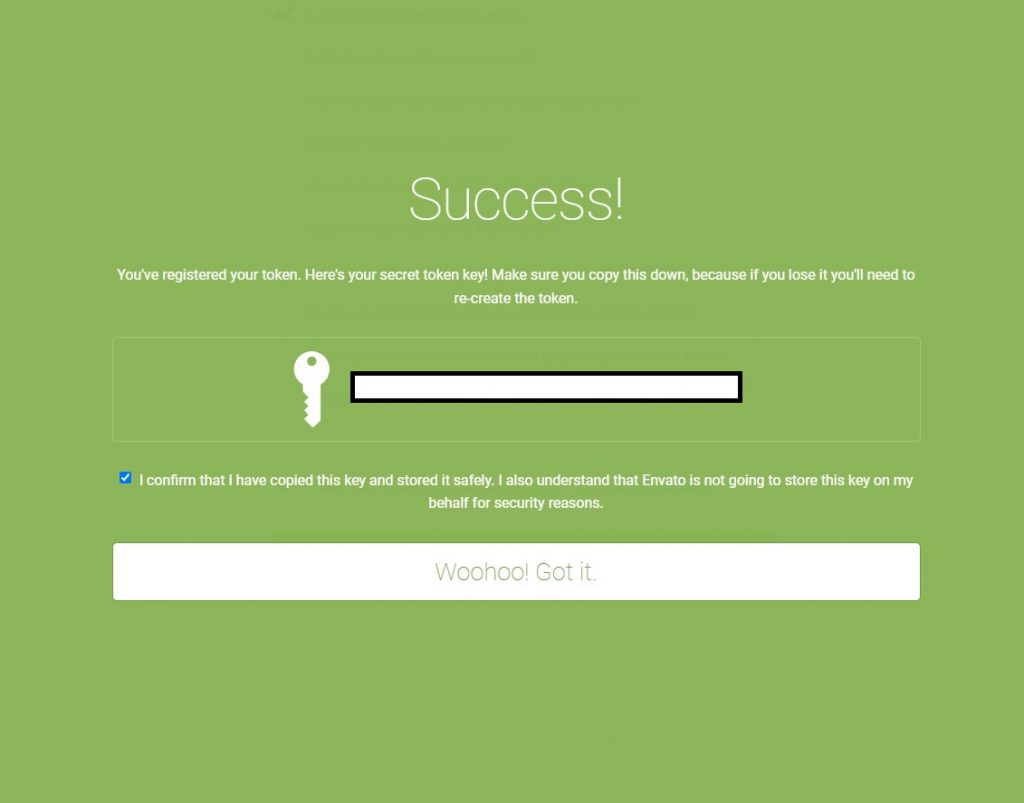
5. You will see a success page with an option to copy your secret token key.
Envato will not save the secret token key and if will have to generate a new key if you lose it.
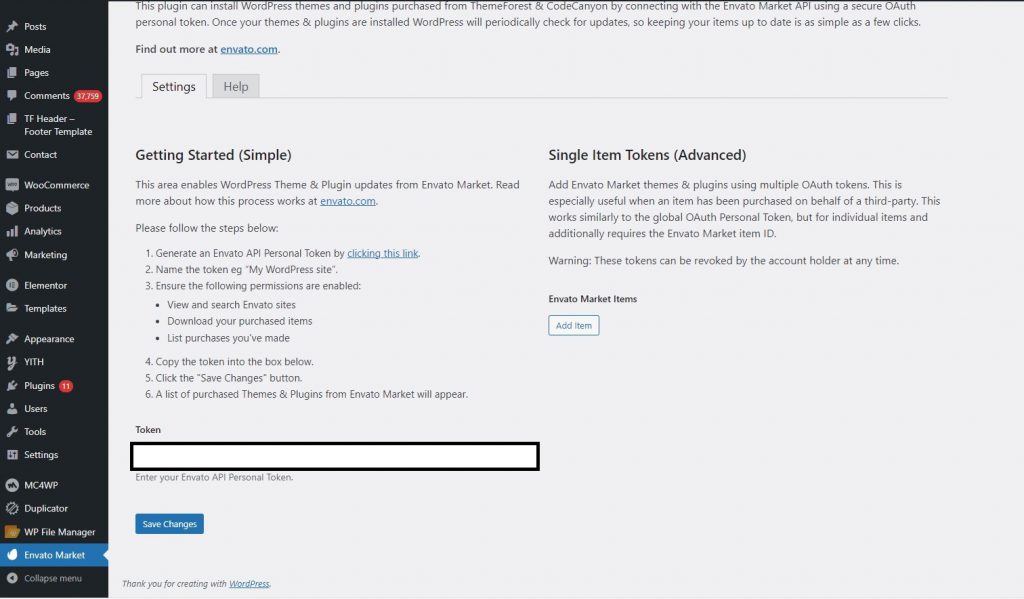
6. Enter the Envato API Secret token key and click on Save Changes.
7. You should now see all of your purchased WordPress themes from your ThemeForest account.
Click on Install Now to install any of your purchased WordPress themes from your ThemeForest account.
You can also see if any updates are available for your currently installed and active WordPress themes from this page.
40,000+ Happy Users
Have chosen to install and use our Add-Ons
Grab Themesflat Add-ons for free and design striking websites today.